Custom cooling funnels for PC hardware
A 3D-printed ducting system that channels front-intake airflow directly into the GPU instead of letting it disperse through the case.
Air scattered inside the case.
Front intake disperses before it reaches the GPU.
Duct the intake to the GPU.
3D-printed shroud channels air straight to the bottom-fan inlet.
Higher sustained boost clocks. Quieter fans.
From intake to GPU.
The lower intake air is captured by the printed duct and delivered into the GPU cooler.
Airflow redirected to the GPU
Slide between the open case and the installed ducting to see the final airflow path.
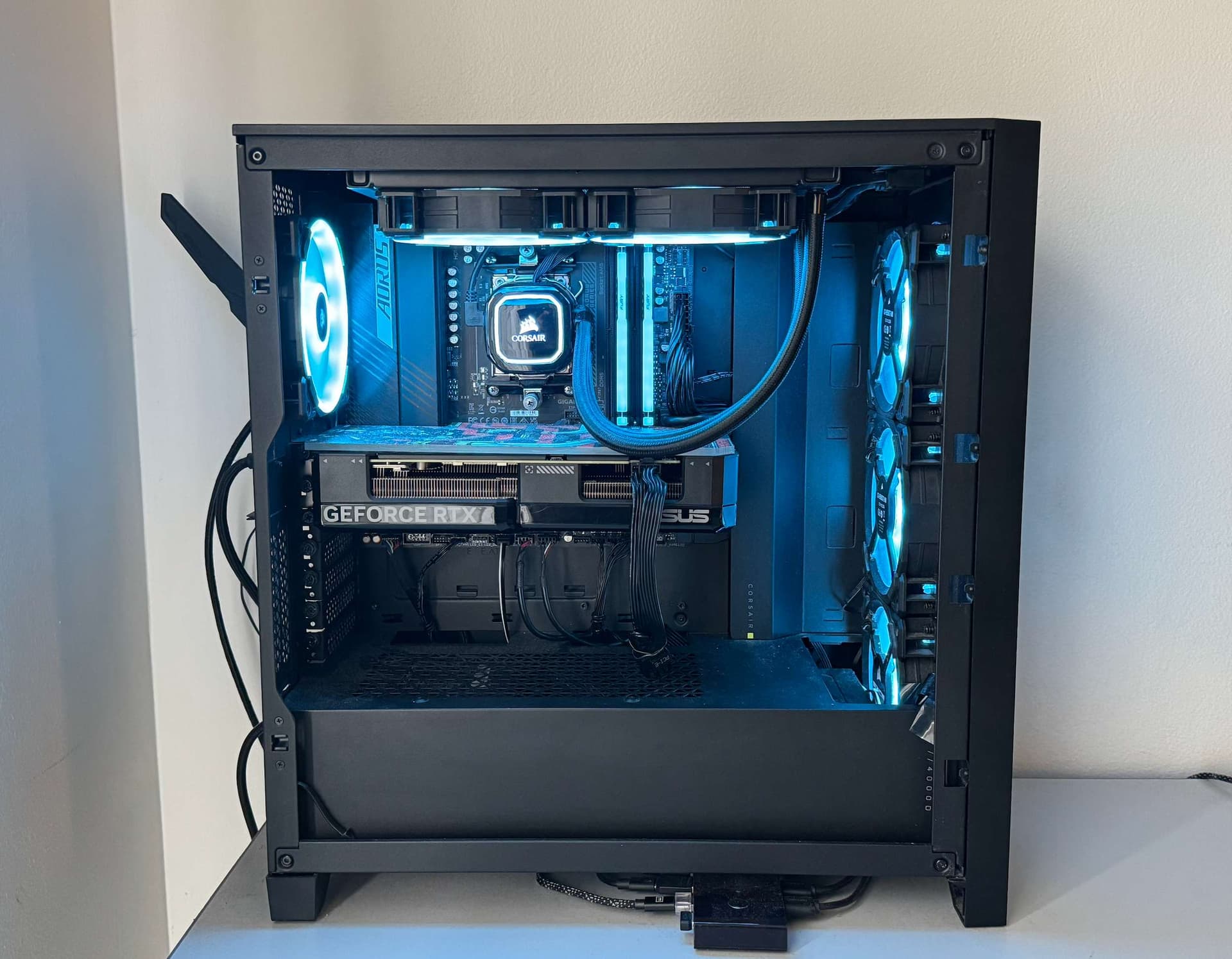
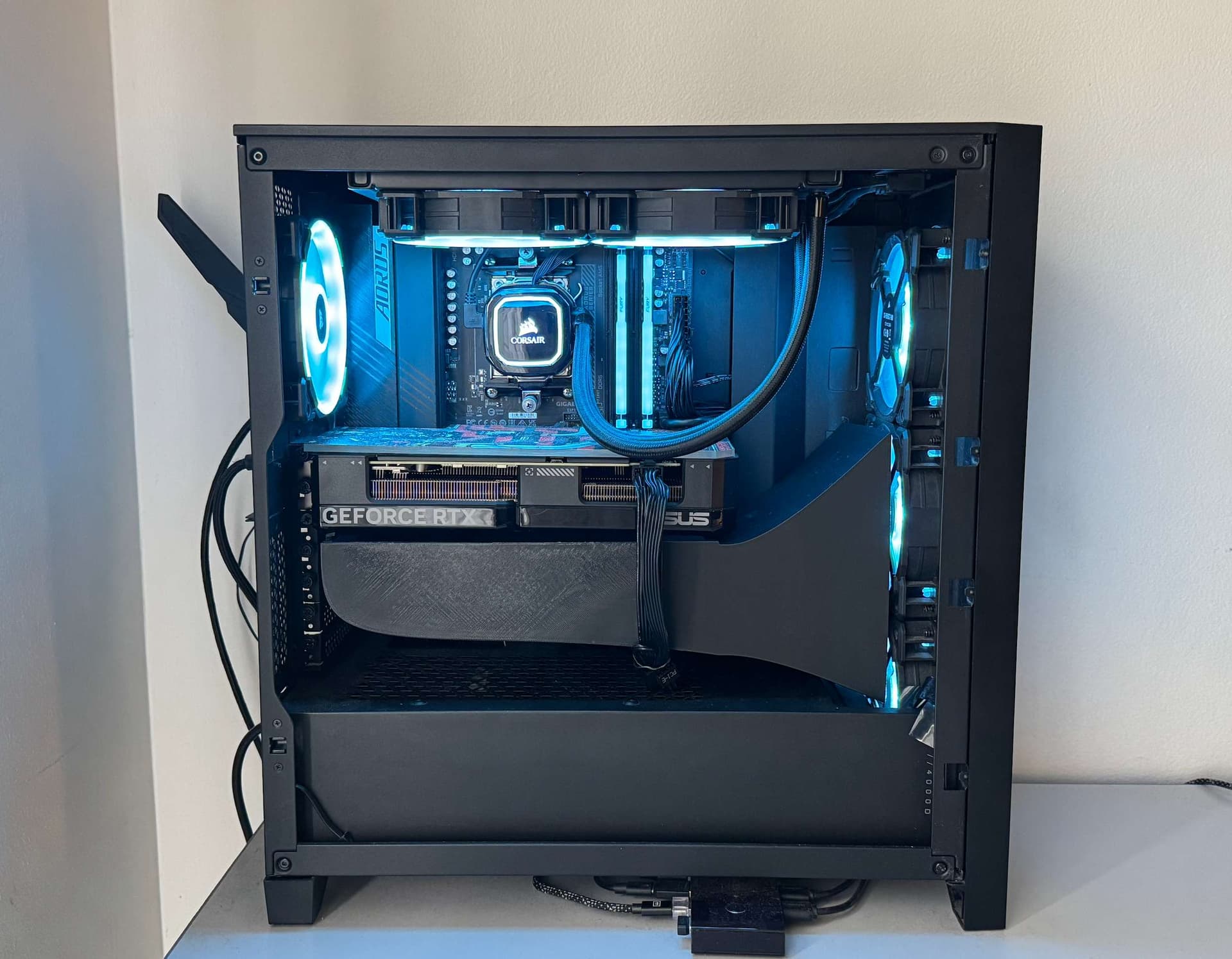
Less wasted airflow inside the case.
The stock case airflow entered from the front, then spread into empty internal volume before reaching the GPU.
The funnel creates a controlled path from intake fans to the GPU cooler, reducing recirculation and improving thermal consistency.
Project development story
The Problem
I noticed that airflow in PC cases isn't optimized. Front intake fans push air in, but much of it disperses inside the case rather than reaching the GPU directly.
Green arrows show air coming in, red arrows show where it exits - but the path in between isn't direct
The Inspiration
I drew inspiration from automotive cooling systems, where ducted parts channel air directly to engine components that need cooling the most.
This is an RS3 carbon fiber air intake - in high-performance cars, every bit of airflow is carefully directed where it's needed most.
Modeling the Case
Rather than model the entire PC case from scratch, I downloaded an existing 3D model of it online and brought it into Fusion360 as the reference for the duct.
Adding Components
Next, I modeled the GPU and intake fan positions to understand the exact path the air needed to travel.
Designing the Duct
I designed a custom cooling funnel that would direct air from the front intake fans straight to the GPU's cooling system.
The duct features a gradually narrowing design to accelerate airflow as it approaches the GPU.
Finalizing Components
The final design included multiple components that would fit together perfectly while being printable on a standard 3D printer bed.
Slicing for Printing
Using Bambu Studio, I prepared the 3D models for printing, setting up supports and optimizing print settings for PLA material.
The green areas show support structures needed for successful printing of complex geometries.
Printed Components
After several hours of printing, the cooling duct components were ready for installation.
PLA material was chosen for its ease of printing and durability, well suited to the duct's low-stress location in the case.
Temperature test results
Same GPU workload, same case, same benchmark style. The ducted airflow reduced load temperature by 7°C.
Without ducting
With cooling funnel
Beyond the temperature drop
The custom cooling ducts proved highly effective, reducing GPU temperatures by 7°C under full load compared to the standard case configuration. This temperature reduction allowed the GPU to maintain higher boost clocks for longer periods, resulting in more consistent performance during demanding tasks like gaming and 3D rendering.
An unexpected benefit was the reduction in fan noise, as the GPU's cooling system didn't need to work as hard to maintain safe temperatures. The direct airflow path also reduced dust accumulation on the GPU, as air was now following a more controlled path through the case.
The project demonstrated how principles from automotive cooling systems could be successfully applied to PC hardware cooling, opening up possibilities for further optimization of other components like CPU coolers and memory modules.